
Where to find it
Open a domain's page and go to Analytics. One range applies to everything on the tab: 24 h, 7 days or 30 days. Numbers update every minute. There's nothing to add to your site: DomainDock counts at its gateway, so visitors with ad blockers are counted too.
The tab answers four questions, one section each.
Visitors
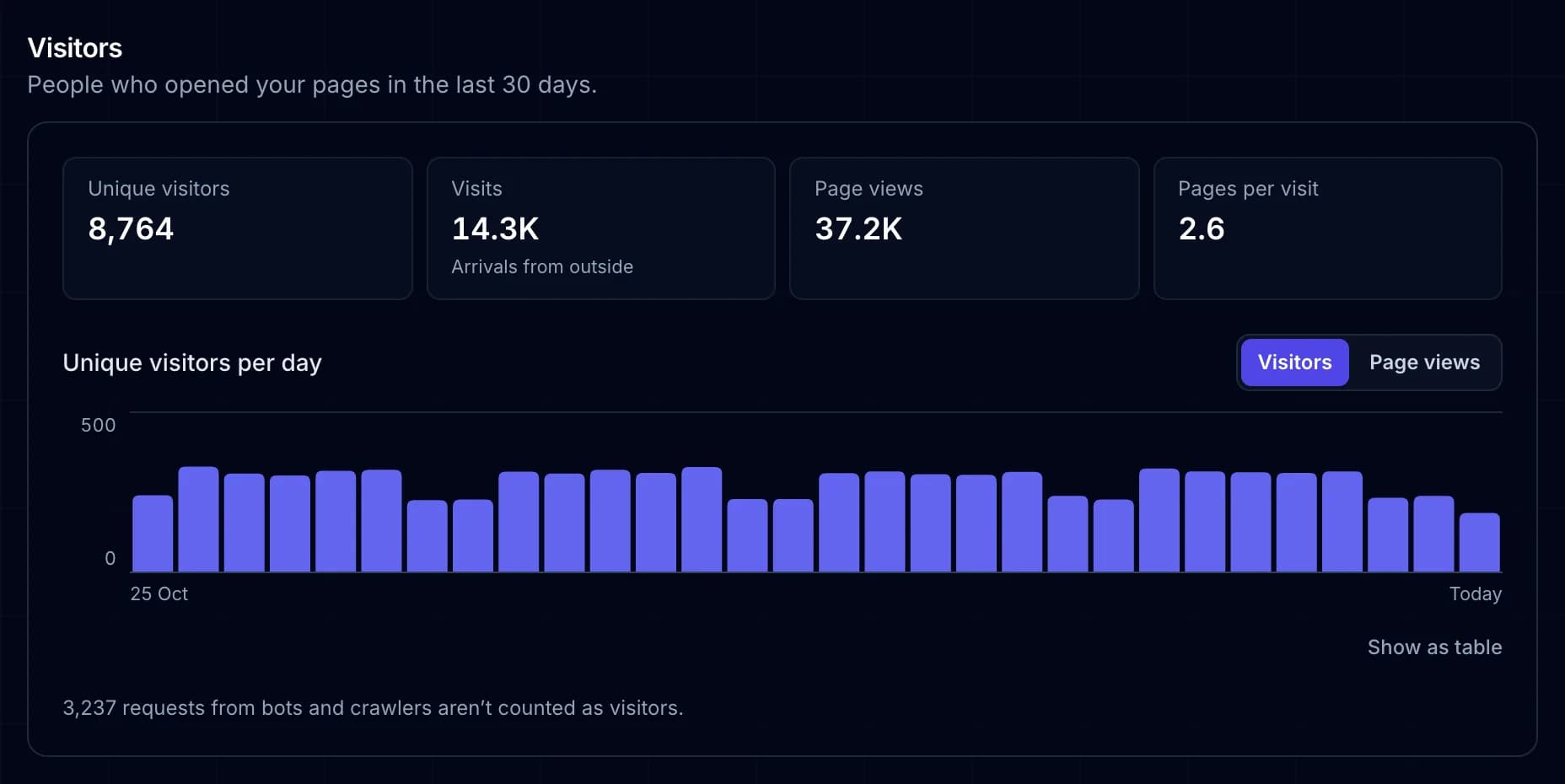
- Unique visitors: different people who opened your pages. Someone who comes back on several days counts once for the whole range.
- Visits: arrivals from outside your site (a search, a link, a typed address). Clicking around inside your site is the same visit.
- Page views: pages people opened. Images, scripts and API calls aren't page views.
- Pages per visit: page views divided by visits.
The chart switches between visitors and page views, by hour for 24 h and by day otherwise. Hover a bar (or tap it on a phone) for its numbers, or use Show as table.
Crawlers, uptime monitors and scripts are recognised and left out. Their requests are listed separately under the chart.
Where visitors come from
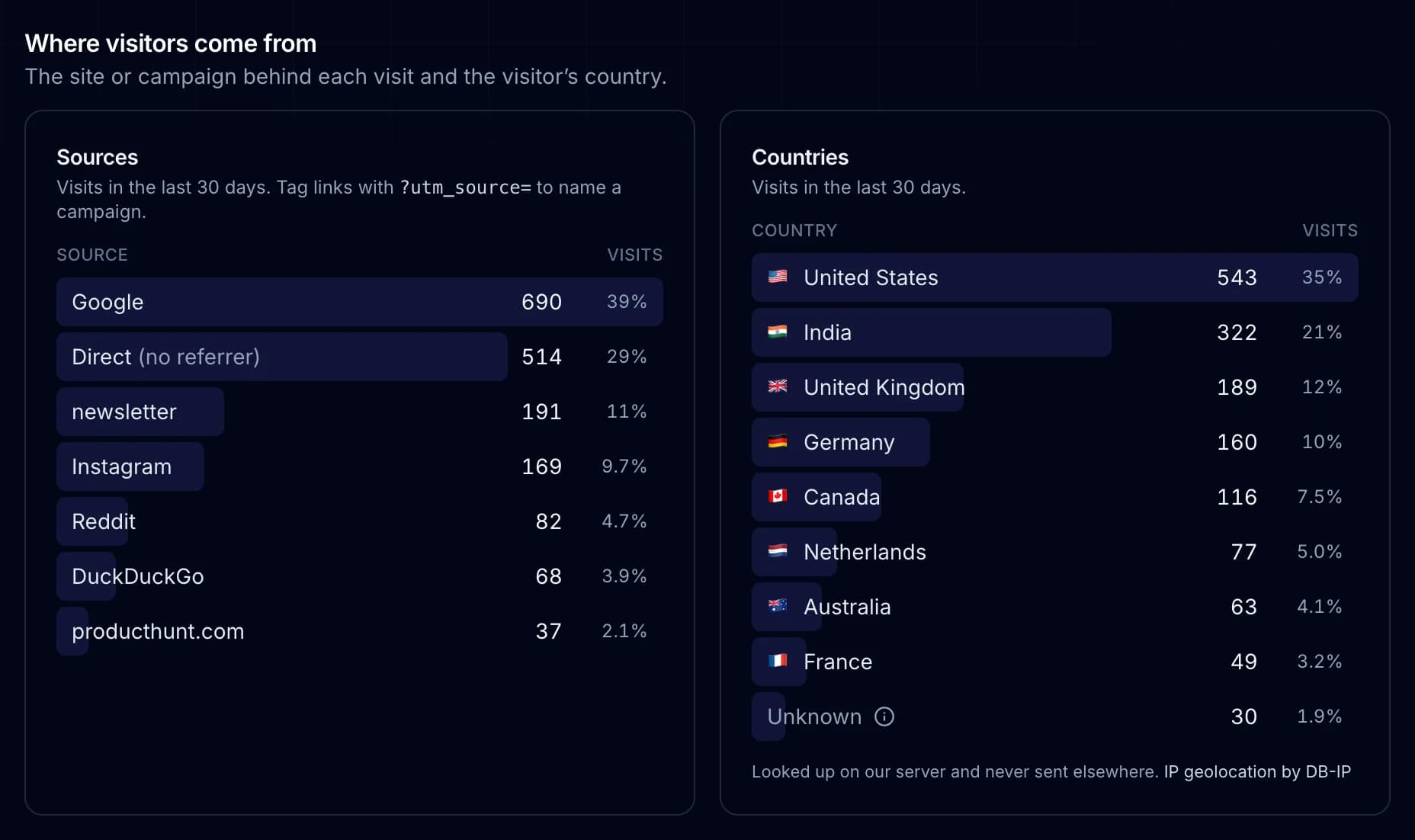
- Sources: the site that sent each visit. Search engines and social networks are grouped by name (Google, Reddit, X and so on). Visits with no referring site, such as typed addresses, bookmarks and many apps, show as Direct.
- Campaigns: add
?utm_source=to the links you share (?utm_source=newsletter) and those visits show under that name instead. - Countries: where visits came from. Countries are looked up on DomainDock's own servers and the address is never sent anywhere. Unknown means the country couldn't be determined, usually because the visit came through a private network or a proxy.
What they look at
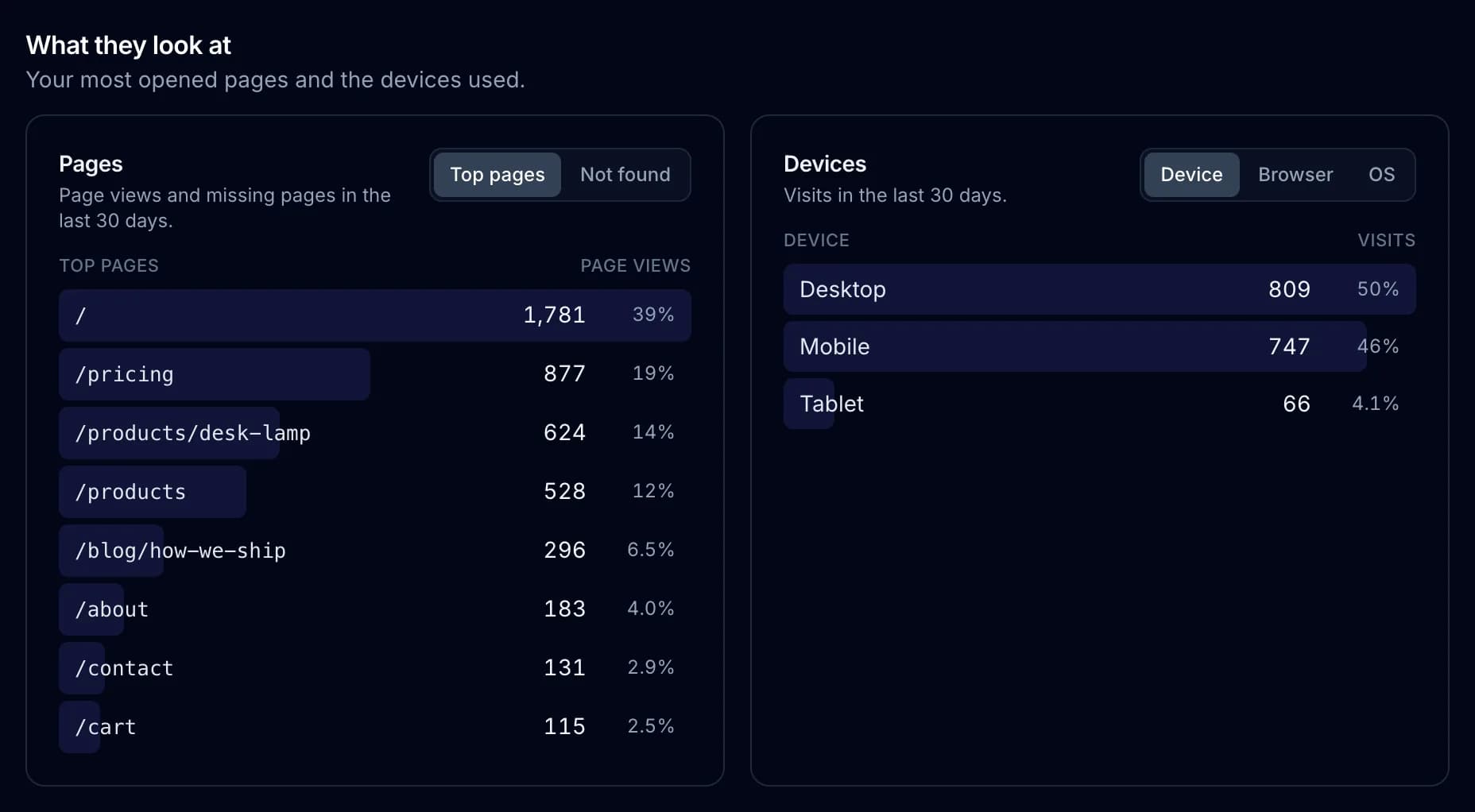
- Pages: your most opened pages. The Not found tab lists missing pages that people (not bots) asked for, which is how you spot broken links.
- Devices: visits by device type, browser and operating system.
Each list shows its top 10. Breakdowns are counted per day (UTC), so with the 24 h range they cover today and yesterday.
Requests and performance
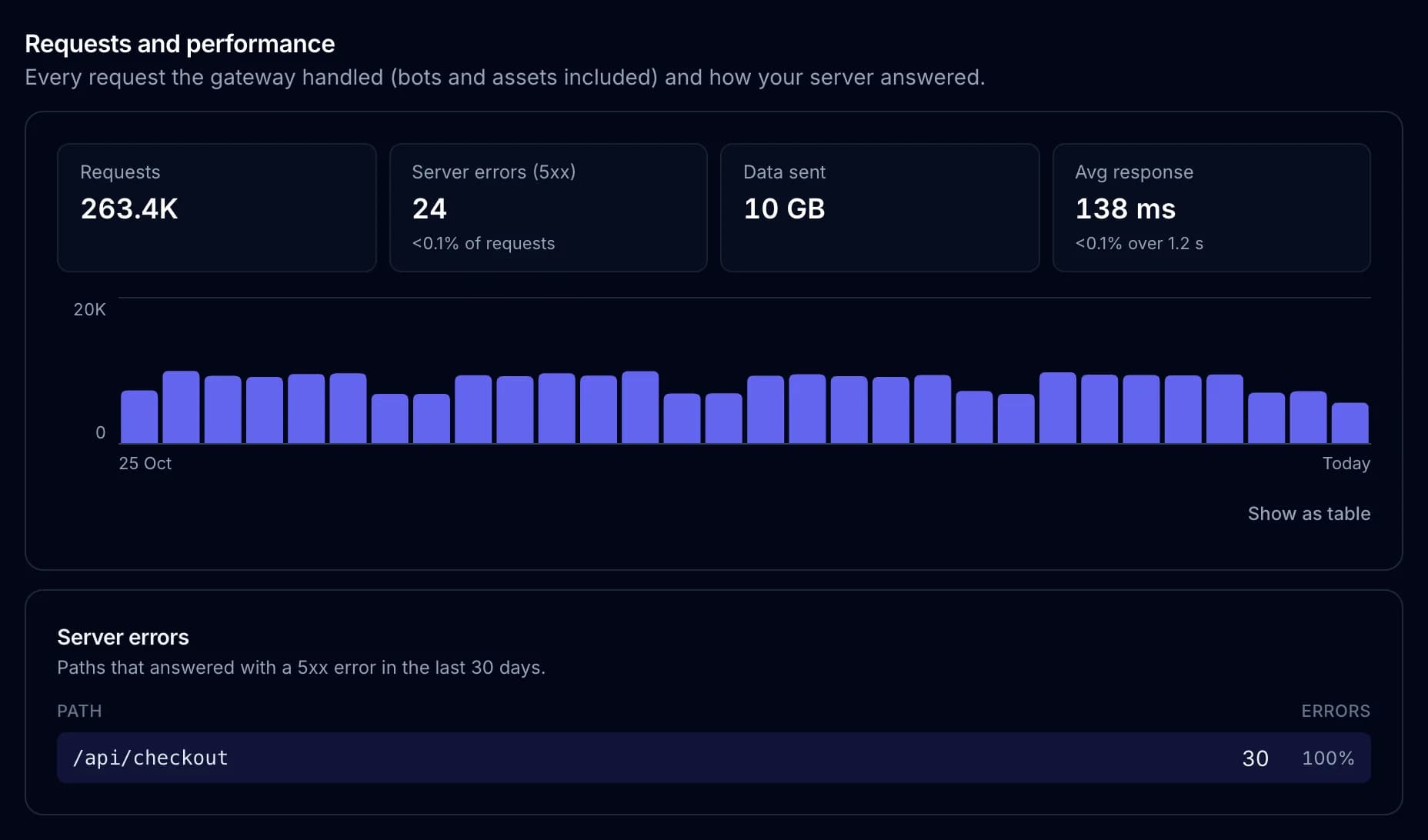
Every request the gateway handled, bots and assets included: Requests, Server errors (5xx) with their share, Data sent and Avg response with the share of requests slower than 1.2 seconds. Below that, Server errors lists the paths that answered with a 5xx error.
Privacy
DomainDock doesn't use cookies or a tracking script. It stores no IP addresses or browser details. Unique visitors are counted with an anonymous code that changes every day and can't be traced back to a person. What's kept are counts: per page, source, country and device type. You don't need a cookie banner for it.
Daily totals are kept for 90 days, the per-page and per-source lists for 35 days. The range picker goes back 30 days.
What it doesn't do
There are no events, goals or funnels, because nothing runs in the visitor's browser. Single-page apps that change pages without loading a new document count the first page only.