
A clear page instead of a browser error
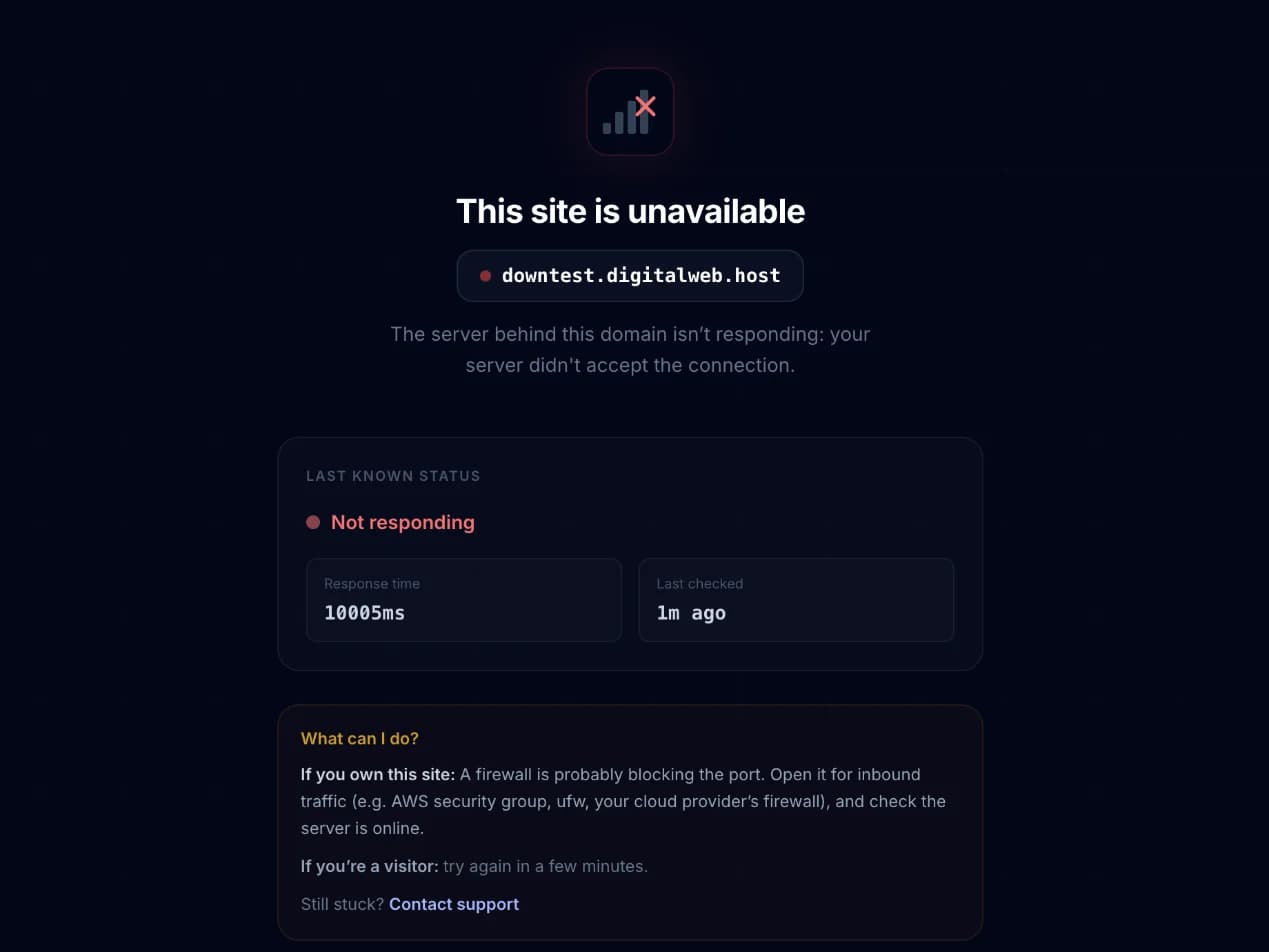
If DomainDock can't reach your app, visitors don't get a confusing browser error. They see a DomainDock status page on your address that explains what's going on.
What the page says
The page reflects your domain's real state:
- This site is unavailable: your server isn't responding. The page shows the reason (for example, the connection was refused or timed out) and the last health check.
- This site is having problems: your app answered with a server error.
- This site is being set up: the domain is still provisioning, it'll be live in a minute.
- There's no site here yet: nobody has set up this address on DomainDock.
The page also tells owners what to fix and visitors that they can try again shortly.
Contacting support from the page
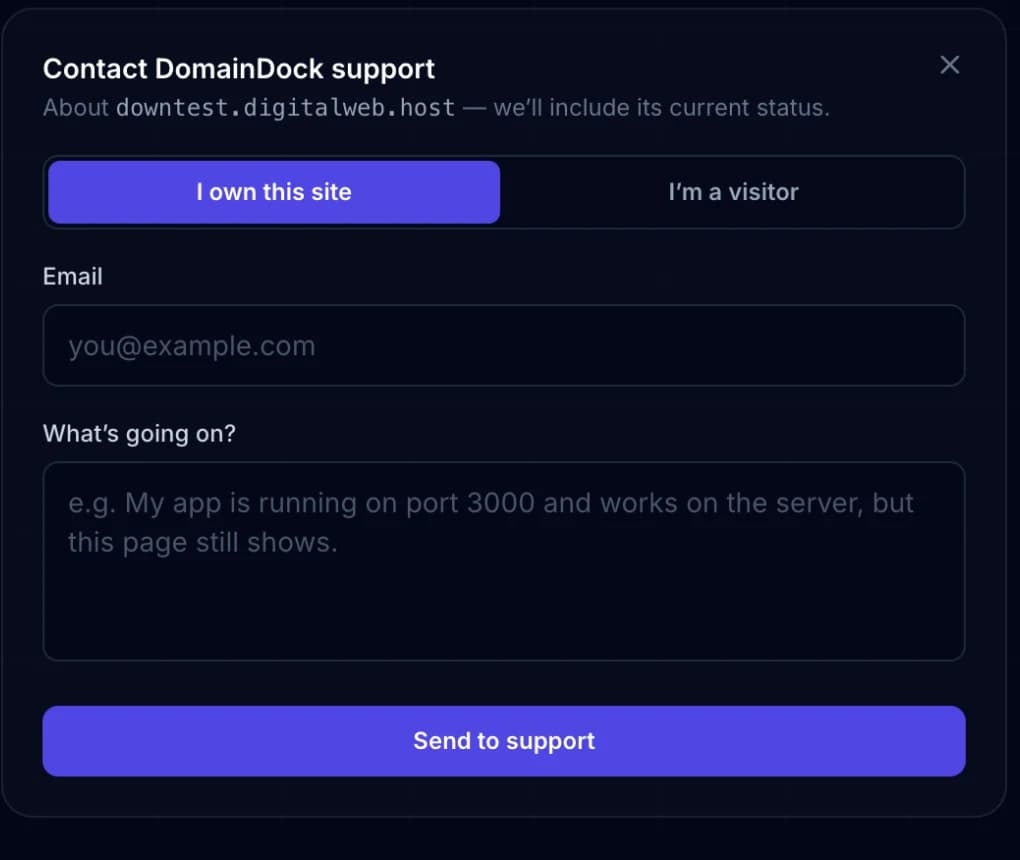
Both the site's owner and its visitors can click Contact support. They choose whether they own the site or are visiting it, describe the problem and send it. DomainDock attaches the domain's current status to the message automatically, so support can help faster.
When it goes away
DomainDock re-checks a down domain every minute. As soon as your app answers, visitors get your site again, there's nothing to switch back. Fixed it just now? Click Check now on the domain in your dashboard to bring it back right away.