
Where to start
Each domain forwards visitors to your app. Open a project, go to the Domains tab and click Add Domain.
The address
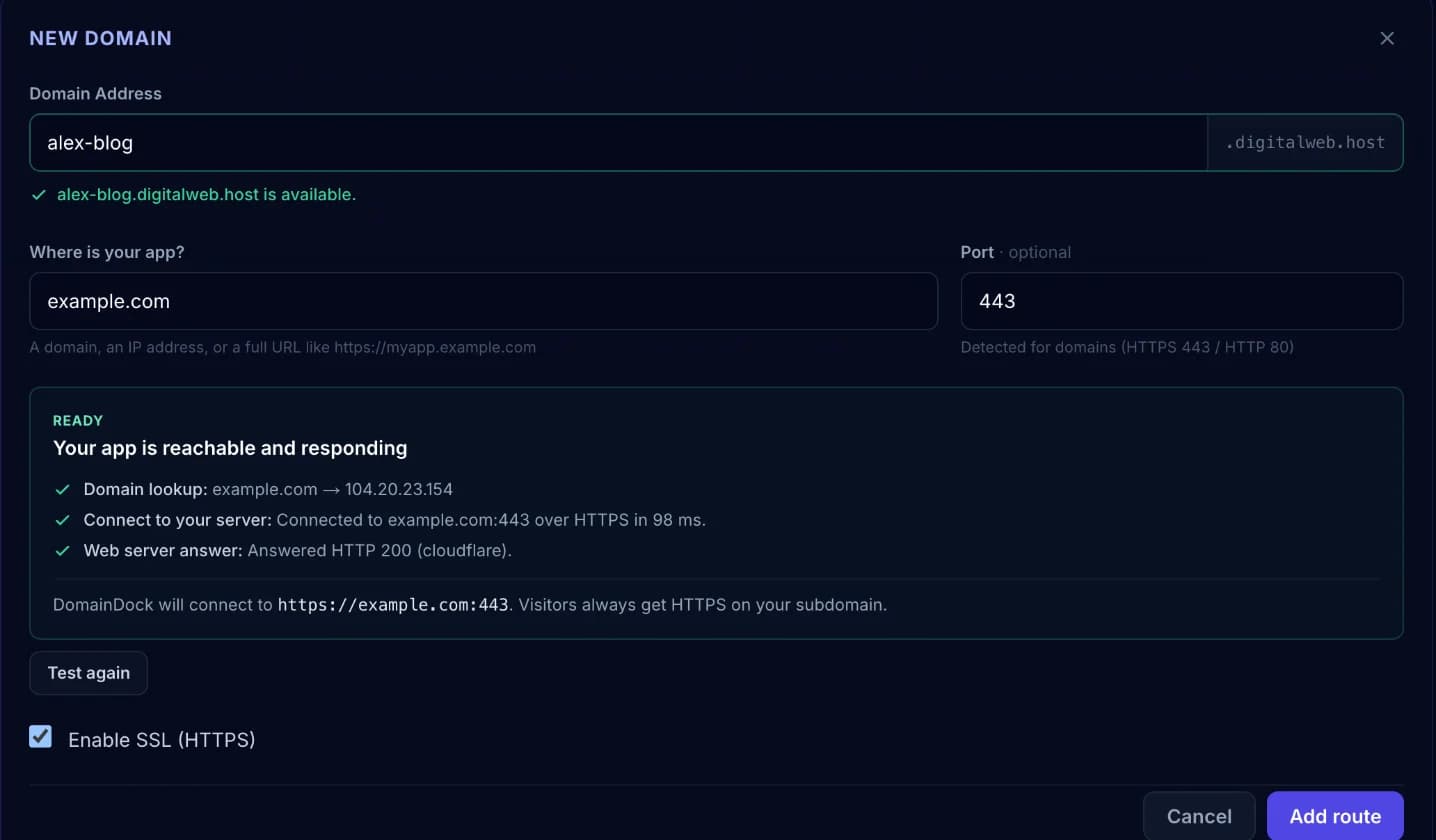
The Domain Address field is the name in front of digitalweb.host. Entering shop gives you shop.digitalweb.host.
Address rules:
- Lowercase letters, digits and hyphens only.
- No dots, addresses are single-level.
- Can't start or end with a hyphen.
- Some common names (like
www,api,admin,mail) are reserved.
Availability is checked live as you type. An address can't be changed after the domain is created, delete and recreate it to use a different one.
Where is your app?
Tell DomainDock where your app runs, in whichever form you have:
- A domain, like
myapp.example.com. DomainDock detects whether it speaks HTTPS or HTTP, so you don't need a port. - A full URL, like
https://myapp.example.com:8443. The protocol and port are taken from it. Any path is ignored, your whole site is routed. - A public IP address, like
203.0.113.10, plus the Port your app listens on, e.g.3000.
Private addresses (192.168.x.x, 10.x.x.x, 127.0.0.1) only work inside your own network, so they can't be used.
The connection test
When you leave the target or port field, DomainDock connects to your app exactly the way it will for visitors and shows what it found: the domain lookup, the connection and your app's answer. Use Test again after changing something on your server.
If something is wrong, the test explains it and how to fix it, for example a firewall blocking the port, nothing listening on it, or a certificate problem.
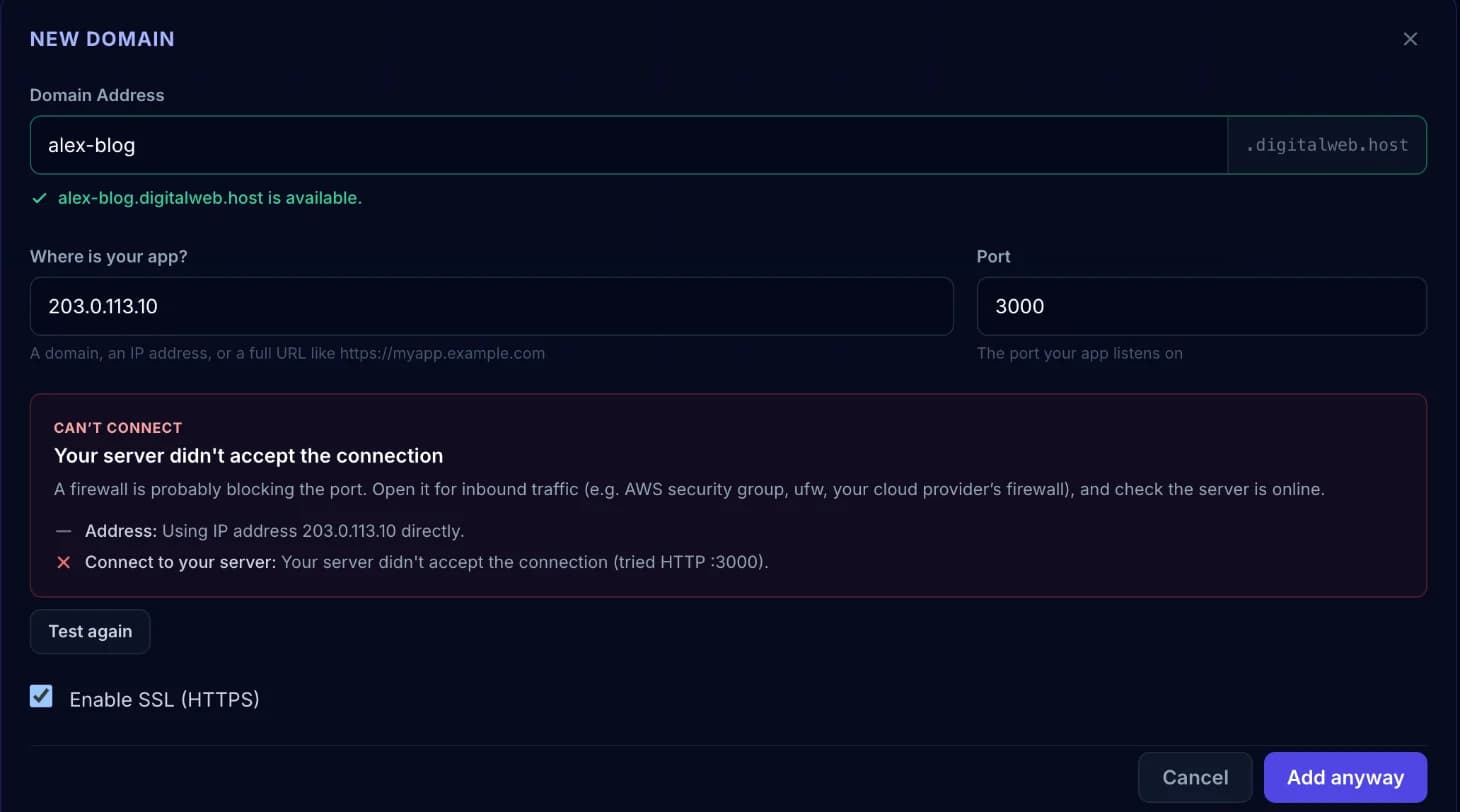
You can still create the domain with Add anyway, for example while your server is being set up. It goes live as soon as your app answers.
Redirects
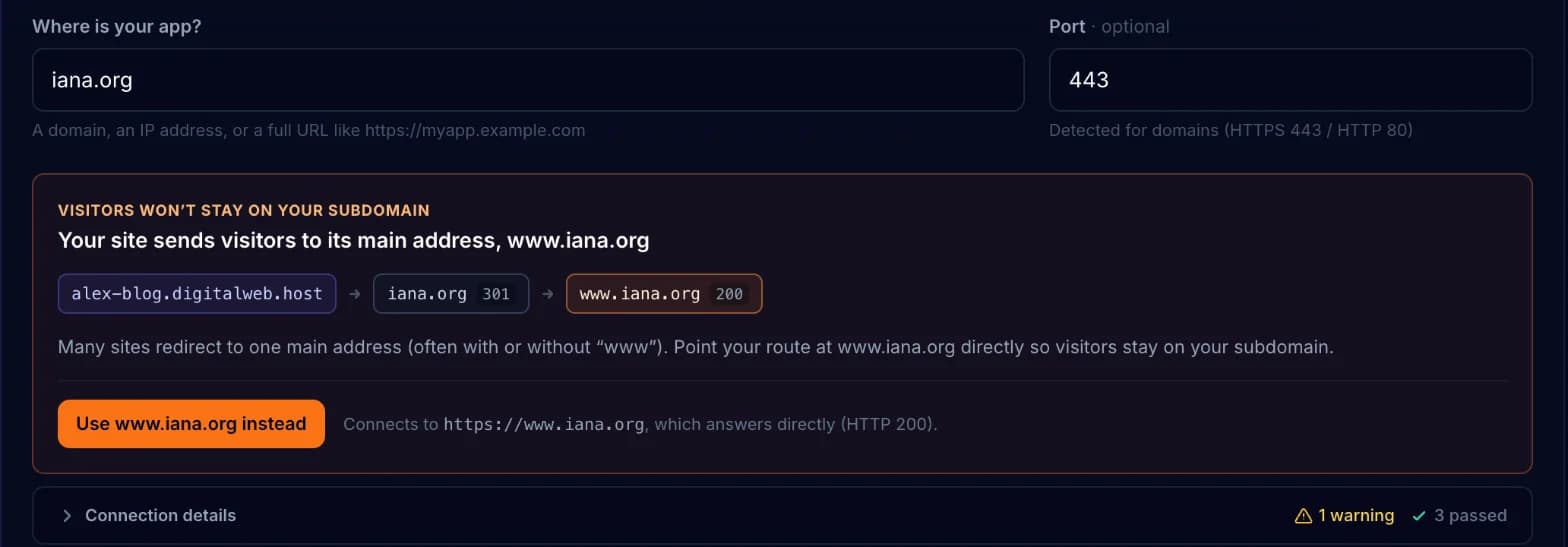
Some sites send visitors to another address, often www. or the version without it. Through DomainDock, that would take visitors away from your domain. The test catches this, shows where visitors end up and offers a one-click button to point your domain at the final address instead.
HTTPS
HTTPS is always on: Enable SSL (HTTPS) is shown checked and can't be turned off. Visitors always reach your domain over https://, with a certificate DomainDock renews for you. How DomainDock connects to *your* app (HTTP or HTTPS) is detected separately, so your server doesn't need a certificate of its own.
Copying and deleting
Every domain has a copy button to grab its full address and a delete button that removes it after you confirm.