
Two signals
Every domain shows a status while it sets up and a health signal once it's live.
Provisioning statuses
- PENDING: the request is queued.
- PROVISIONING: DomainDock is publishing the address and configuring routing.
- ACTIVE: the domain is live and serving traffic.
- FAILED: setup didn't complete. DomainDock retries automatically. If it keeps failing, check that your server is reachable, then delete and re-add the domain or contact support.
The list updates on its own while a domain is provisioning, there's no need to refresh.
Health
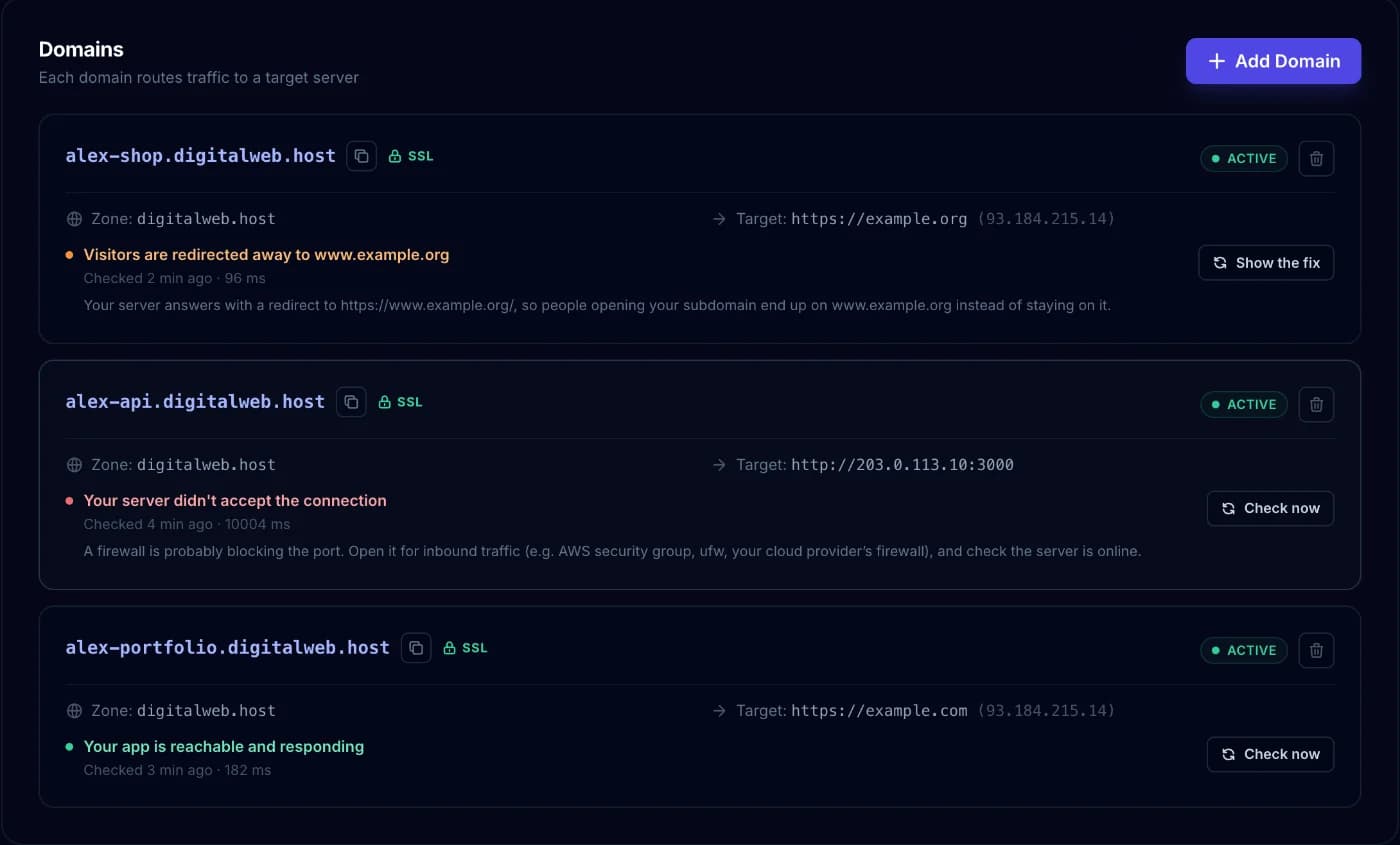
Once a domain is ACTIVE, DomainDock checks it every 5 minutes, the same way visitors reach it and shows the result in plain language with the fix when something's wrong:
- Reachable: your app answered. A "not found" or "forbidden" answer at
/still counts, many APIs have no home page, the route itself works. - Degraded: your server is up, but your app answered with a server error (5xx), or took more than 30 seconds to answer. Visitors still reach it, it needs attention.
- Down: DomainDock couldn't connect to your server within 10 seconds. A new outage is confirmed with a second check a few seconds later, so a brief blip doesn't mark your site as down. While a domain is down, visitors get the status page instantly and DomainDock re-checks it every minute.
Click Check now on any domain to test it immediately and see every step of the connection. If your server is answering again, the domain is back for visitors within seconds.
Redirects
If your app sends visitors to a different address, the domain shows Visitors are redirected away with Show the fix, which suggests pointing the domain at the address visitors end up on.