
Password protection
Lock a domain behind a username and password: handy for client previews, demos and work in progress. Visitors' browsers ask for them before loading anything on the domain, paths included.
- Open the domain's page and go to Access. (You can also switch it on while creating the domain.)
- Click Add password. DomainDock suggests a strong password; the refresh icon generates another, or type your own (at least 8 characters).
- Click Save password. The username and password appear once, with a copy button: share them with your visitors.
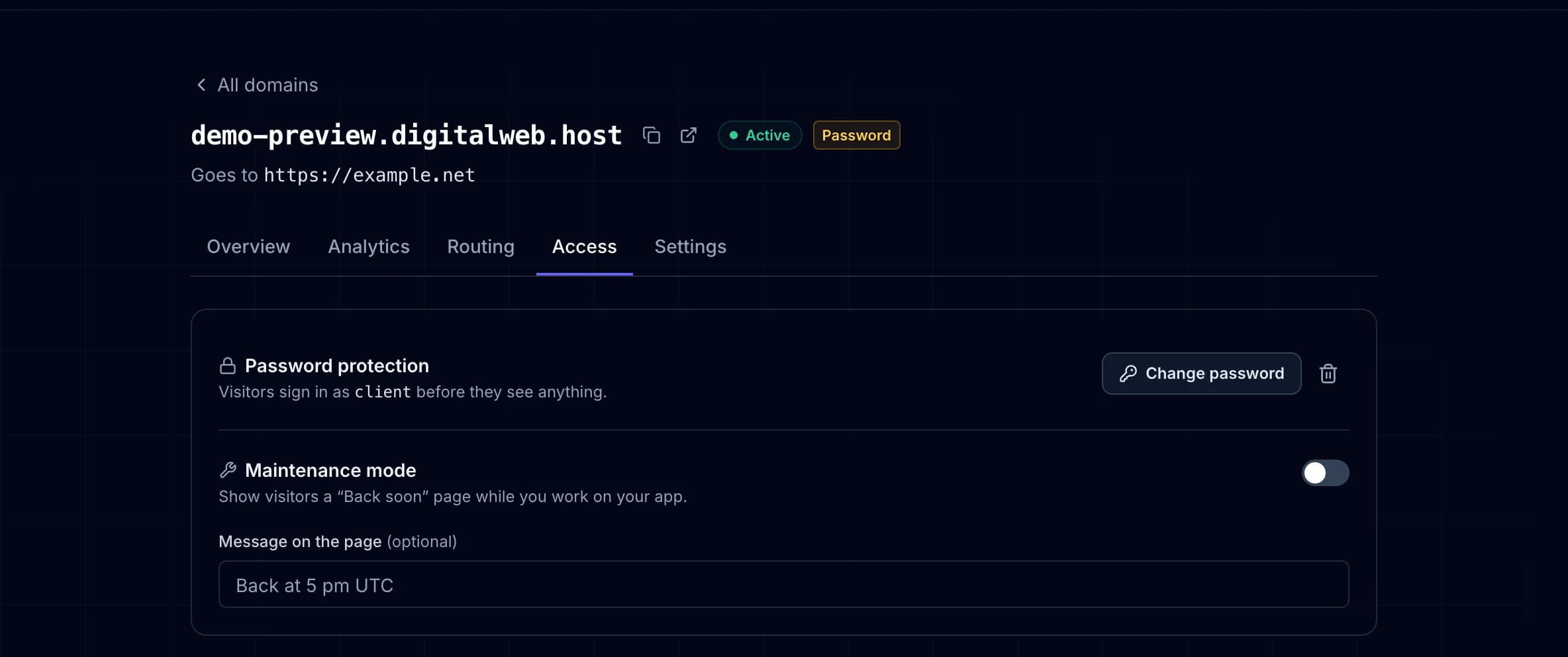
The password is shown once. DomainDock only keeps a scrambled version of it, so it can't show it to you again. To share it again, set a new one with Change password. The bin icon removes protection after you confirm, which opens the domain to everyone right away.
Your app never receives the password. DomainDock's own status checks still reach your app directly. Repeated wrong guesses from one address are slowed down by DomainDock's per-visitor limits.
Maintenance mode
Switch on Maintenance mode and every visitor gets a clean “Back soon” page instead of your app, until you switch it off. DomainDock asks you to confirm before turning it on. Turning it off happens straight away.
- Add an optional message, like “Back at 5 pm UTC”. It appears on the page. While maintenance is on, change the text and click Update message.
- The page answers with HTTP 503 and a “try again later” hint, so search engines keep your site in their results instead of dropping it.
- Paths, backup servers and the password all pause while maintenance mode is on. They come back when you switch it off.
Your message is kept when you switch maintenance off, ready for next time.