
Why use paths
Apps on free hosting are often split up: the frontend on Vercel or Netlify, the API on Render, docs somewhere else. Each one gets its own messy address. With paths, one DomainDock domain serves them all:
myapp.digitalweb.hostgoes to your frontendmyapp.digitalweb.host/apigoes to your API
Your frontend can then call /api on its own domain, so you don't need to set up cross-origin (CORS) rules between the two.
Add a path
You can add paths while creating a domain (switch on Paths under Options) or later:
- Open the domain's page and go to Routing.
- Under Paths, click Add path.
- Enter the path (like
/api) and where it should go: a domain such asmyapi.onrender.comor an IP with its port such as203.0.113.9:4000. - Click Add path. DomainDock checks the target, works out whether it speaks HTTPS or HTTP and applies the change within seconds.
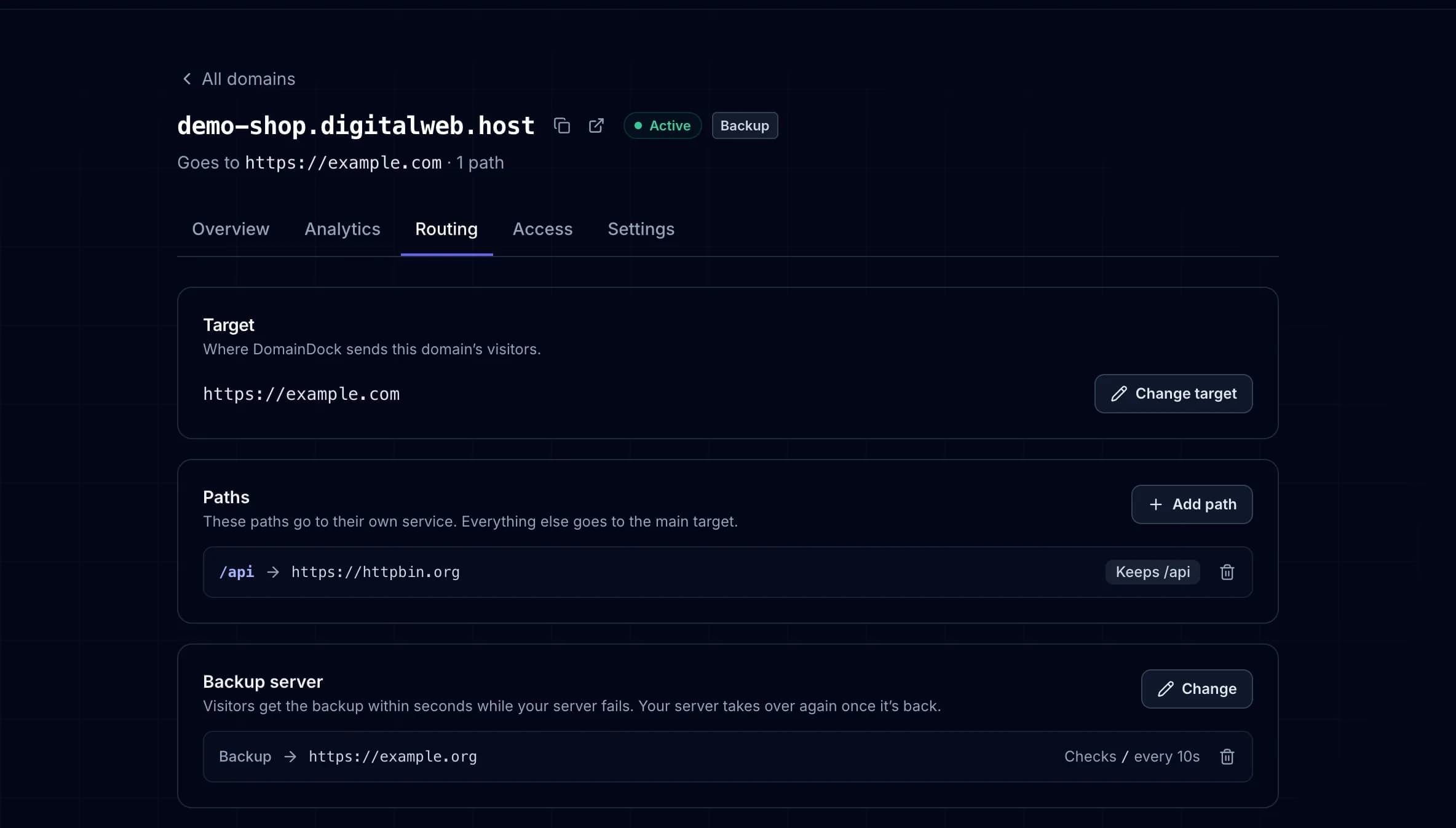
A domain can have up to 10 paths.
What a path matches
A path matches itself and everything below it. With the path /api, visits to /api/users and /api/users/42 go to its service. A visit to /apiary does not. When two paths overlap, the longer one wins. If you have both /api and /api/v2, a request to /api/v2/users goes to the /api/v2 service.
Paths are case-sensitive, like the URLs they match. Everything that no path matches goes to the domain's own target.
Keep or remove the path
By default your service receives the full path: a visit to /api/users reaches it as /api/users. If your service expects /users instead, turn on Remove /api before forwarding when you add the path. The form shows a preview of what your service will receive.
On an existing path, click its Keeps /api or Removes /api label to switch. DomainDock asks first, because your service starts receiving different URLs right away.
Removing a path
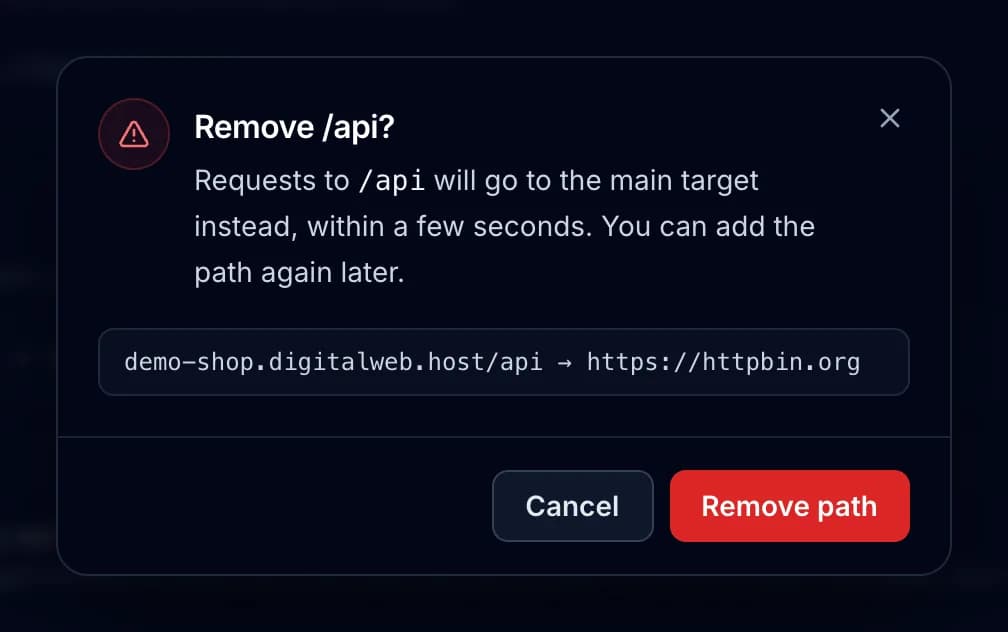
Click the bin icon on the path. A dialog shows where the path goes and asks you to confirm: its traffic goes back to the domain's own target within seconds.
Good to know
- Every path is served over HTTPS with the same certificate as the domain.
- Status checks and down alerts watch the domain's own target. If a path's service is down, visitors to that path see the status page.
- Paths given as a domain name are looked up again every 5 minutes, so they follow your host when it changes IP.