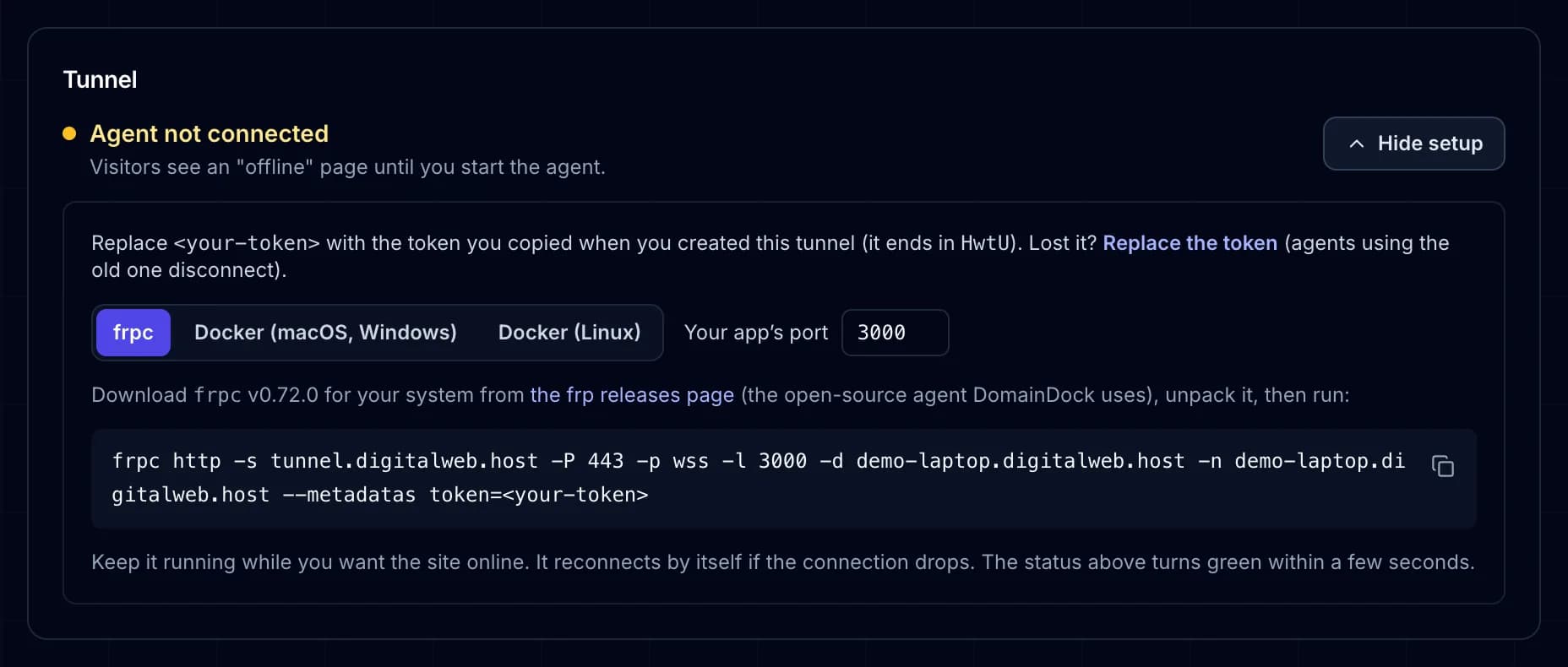
Your laptop gets a real domain, with no server and no port forwarding.
Choose "On my computer" when you add a domain and DomainDock gives you a one-line command. Run it next to your app and https://yourname.digitalweb.host reaches it: from your laptop, a Raspberry Pi at home or a VM on a company network.
The agent (frp, open source) opens a connection out to DomainDock over HTTPS on port 443, the way a browser does. Nothing is opened on your router, so it works behind CGNAT and most firewalls. The address is a domain you keep, so it stays the same across restarts.
The command that starts the tunnel agent next to your app.
What you get
A permanent HTTPS address for an app on your own machine
No public IP, port forwarding or router changes
Runs as the frpc binary or one docker command (Docker Desktop and Linux)
WebSockets, streaming and file uploads work through the tunnel
Your app sees your DomainDock address and X-Forwarded-Proto: https
Password protection, paths, a backup server and analytics on the same domain
Good to know
HTTP and HTTPS only: no TCP or UDP tunnels
One address per tunnel; a second app needs a second tunnel
Visitors see an "offline" page while the agent is stopped
Ready to try it?
Free, no credit card. Your first domain takes about a minute, on a server or on your own laptop.