
Every server goes down. A cloud VM gets rebooted for maintenance, a free host puts your app to sleep, a Friday deploy has a typo in an environment variable. For a side project that's mostly fine. For a portfolio a recruiter opens at 9:02 on a Monday, or a small shop running a sale, a browser error page is the whole impression.
The fix big sites use is failover: when the main server stops answering, traffic goes somewhere else until it's back. It used to need a load balancer and a second data center. It doesn't anymore.
DNS failover vs. proxy failover
There are two places to switch traffic.
At DNS. A monitoring service notices the outage and changes your domain's record to point at the backup. Simple, but slow: resolvers and browsers cache the old answer for as long as its TTL says. Some hold on longer. Visitors keep hitting the dead server for minutes.
At a proxy in front of the server. Visitors always connect to the proxy. The proxy decides on every request where to send it. Switching is instant because nothing outside has to forget anything. This is what DomainDock does: your domain already points at its gateway, so the gateway can send a request to your backup the moment your server fails its check.
How the switch decides
The decision rests on one request: the health check.
- Every 10 seconds, DomainDock requests a path on your server, for example
/health. - An answer with a 2xx or 3xx status counts as up. Anything else counts as down: a 404, a 500, a 401 from a login page or no answer at all within 5 seconds.
- While the check fails, visitors get the backup. As soon as it passes, they go back to your server.
So the most important decision is which path to check. A few things that matter:
- It must answer 200 while the app works. The home page is fine if it's public and fast. If
/redirects to a login page or needs a session, it will "fail" all day long and your visitors will live on the backup. - Keep it cheap. It runs six times a minute. A
/healthroute that returnsokwithout touching the database is usually right. - Decide what "working" means. If your site is useless without its database, a check that also runs
SELECT 1will switch to the backup when the database is down too. That's a deeper check and a more expensive one. There's no single correct answer; just make it a choice.
A minimal endpoint in Express:
app.get('/health', (_req, res) => res.type('text').send('ok'));
When you save a backup, DomainDock tries your health path once and warns you if your own server fails it right away. That catches the login-redirect case before your visitors do.
Setting it up
In DomainDock the backup is a field on the domain, either while creating it or later on the Routing tab:
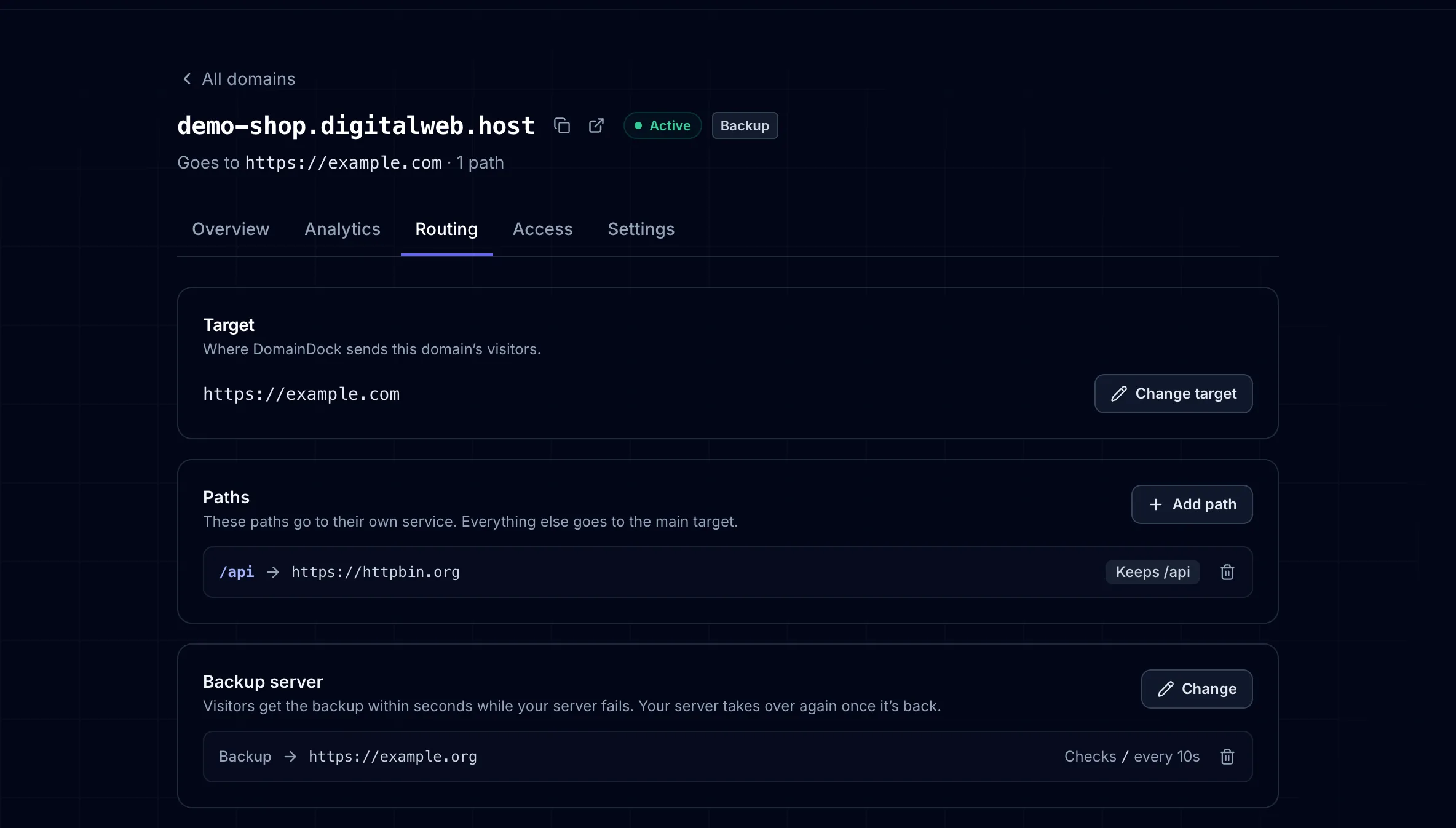 The backup sits under the domain's main target on the Routing tab.
Enter the backup's address (a domain like myapp-backup.onrender.com or an IP and port), the health check path, then save. It must be a different server from the main one: a backup on the same machine goes down with it.
It works for tunnels too. If your app runs on your laptop through a tunnel, a hosted backup takes over while the laptop is closed, instead of visitors seeing "tunnel offline".
What makes a good backup
The backup doesn't have to be a full second copy of your stack. Pick the cheapest thing that's still better than an error:
- A static copy. Export your marketing site or docs as plain HTML and host it on GitHub Pages or a free static host. For a portfolio or a landing page this is the whole site.
- A second instance of the same app. On a different host, or at least a different region. It needs the same configuration and, if it has one, access to the same database.
- A read-only version. For a shop or an app with accounts, a page that shows the catalogue and says "checkout is paused for a few minutes" keeps people around without risking orders going to the wrong place.
Two things to think about before pointing visitors at a second copy of an app: where its writes go (two databases drift apart fast) and whether sessions survive the switch (a visitor signed in on the main server may be signed out on the backup).
Things to know
- Down alerts still go out when your own server stops answering, even while the backup is serving. The backup buys you time; it doesn't hide the problem.
- The checks are real requests, six a minute. On hosts that bill or sleep by traffic, they count. On a free host that sleeps when idle, they may keep the app awake.
- Only the domain's main target fails over. If you send
/apito a separate service with a path, that service needs its own redundancy. - Keep the backup current. Visitors can land on it at any time. An out-of-date price or a removed product is its own kind of outage.
The backup server guide has the exact rules for health checks and how failover works with tunnels.